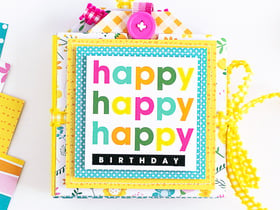






I love this... there is only one draw back and that is there should be teeth or something in the rings to grab onto the paper because it is such a tiny rim that the paper tends to pull out... I don't know if that makes sense. I rated it a 4 stars but it should be more like 4.5. LOVE LOVE LOVE THIS !!!! :)

I got my tag maker today in the mail and I have to say this is a neat little tool. It is super easy to use! The only down fall I have about the product is when you slide in the rim and tag it doesnt seem to crimp the tag down really hard so I have to take the rim and tag and put it along the edge of the tool and go around the edge to make sure that it is tight. But other than that so cooL!
I've put together 4 tags so far & I like it. It's super easy to use & the tags look great on the binding of my scrapbooks for LOM. Very cool that there are templates for making the tags for all the rim shapes you get. The only thing is that you have to cut the tags right on the lines that you draw with the templates so the paper will fit correctly in the rim. Don't cut it too small or not enough or it won't stay in the rim the right way.

I just wish it was a a bit bigger. makes nice tags for captions, but not so good on most pictures. can work on pictures that you have to crop way down though.... it is fun, just bulky to cary around...

I ordered the tag maker after seeing it was on sale (I try to cut corners where ever I can). I have used it on numerous layouts. Great for photos also. It is a little tricky to cut the paper of photo out just right, but with practice anyone can make awesome additions to any layout.
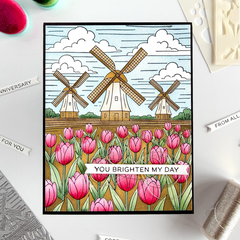
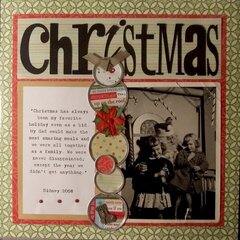
Used in this project: Christmas Card Friends
I got this on sale for $16 and change. It comes with tags which was nice. It had a little learning curve when it comes to making the tags perfectly. I only sacraficed two. I followed the xeroxed (why it did not have more formal looking set of) directions exactly. However, cutting the paper to tag must be very precise and it may take multiple squeezes (which really isn't a big deal) to seal the tag tight. I used cheap copy paper and it came out pretty good while experimenting, so I am looking forward to using thicker scrapbook paper. They really look great adding an awesome embellishment to any page. I think it was worth the money. Suggestion: if you have the extra money and want to make it easier on yourself (I am way too cheap) they make a punch so that you do not have to trace and cut the paper out to make the tags, it is also made by Making Memories.
The templates slip a little when tracing and I have to press more than once to close the entire tag but the finished product looks great. Very pleased

Well, I just had to have this product and I must say when I got it I really do like it. It really is easy to use and the templetes certainly do help. It allows you to personalize you tags to match your work. The one thing that I don't seem to like is that is seems like sometimes the metal part does not always close tightly thus sealing the paper in the metal encasing. I have had a problem with the paper or cardstock sometimes falling out. But mayb that is the usere, I don't know. :O)

I bought this tag maker to make tags for each of my scrapbooks, and I am thrilled with the results...I can custom design each tag - love it. The tag maker if very lightweight and simple to use. It did take a little bit of trial and error to use the stencil for outlining the tag insert, but I feel that is very minor.

This is just the best toy in the world - everyone should have one! You can use a variety of shapes of tags on one layout or choose just one for impact. Here you have five different shapes to play with, and the tagmaker does a great job of crimping the edges. I have used mine with buttons, with fabric, with pps, and even journalling. Absolutely dozens of tags come with the kit - go ahead and try it!
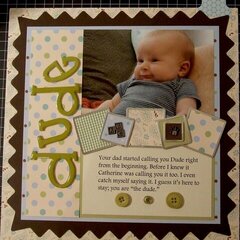
Used in this project: Climb on Board
You must be signed in to comment. Please click here to sign in.