Take an Extra 11% OFF With Code: BLOOM
Shop All Scrapbooking Cardmaking Inspiration Watch SBC Fest Creative Kindness More
Glitz Design - Create a Card - Digital Printable CD

Glitz Design - Create a Card - Digital Printable CD

Take 11% OFF Your Order (Code: BLOOM)  View Details
Item Discontinued & Out of Stock
Please try related products below.

This CD offers 100’s of elements to make an endless amount of cards. It contains accents, words, papers, and templates; you can create literally 100’s of cards. All you need is this CD and an Adobe Photoshop program or similar. It’s as EASY as 1, 2, 3. Check it out! 1) Open a card template. 2) You drag...  Full Description & Details
Related Products
Projects
Happy Birthday Card
Thanks a BUNCH!
Glitz Create a Card
SAMMIE"S TURNING 5!!
Smitten 4ever
Cards
Description & Details
This CD offers 100’s of elements to make an endless amount of cards. It contains accents, words, papers, and templates; you can create literally 100’s of cards. All you need is this CD and an Adobe Photoshop program or similar. It’s as EASY as 1, 2, 3. Check it out!

1) Open a card template.

2) You drag and drop on the elements you want on the card. You can resize them, change the color, use our text or make your own. Customize you card any way you want.

3) PRINT IT OUT. It prints out on 8 ½ X 11 paper with the fold and cut lines.

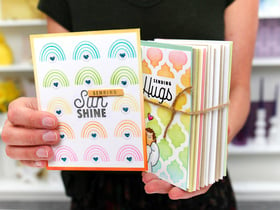
We like to dress them up a little, round the corners or add a little Glitz Frosting. This is really fun and totally addicting. You can make one Thank You card and print it out 100 times. Make invitations for a party, make bunco invites, birthday cards, hello cards. The possibilities really are endless!!
Brand
Category
SKU
gl-dig1081
UPC
899934001401
Product Reviews
Avg. Rating (2 total)
50% of buyers would recommend
  • Verified Buyer

    create a card card making kit

    just love this disk,great if i am in a hurry to make a card that i forgot about.

    Was this Review Helpful?  Yes  |  No Thank you! Report Review as Inappropriate? Sign In to Report This review has been reported. Thank you!
    Add a Comment
        Delete

  • Disappointment

    I have no idea how to use this product (and I am great at making computer cards of any kind). Instructions are poor. Nowhere did I find before I bought this product that it is recommended you use "Adobe Photoshop" or a "similar program" to use this program. I wrote scrapbook.com voicing my opinion that I was disappointed and wanted my money back and they wouldn't respond to me - another disappointment.

    Was this Review Helpful?  Yes  |  No Thank you! Report Review as Inappropriate? Sign In to Report This review has been reported. Thank you!

You must be signed in to comment. Please click here to sign in.

Questions & Answers
No questions yet. Ask a Question.