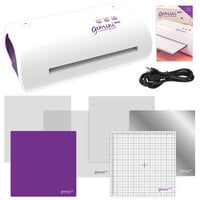





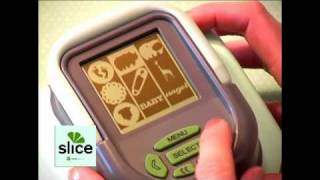
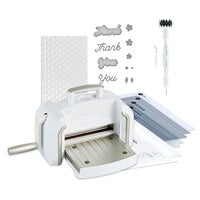
Making Memories' Slice Cordless Design Cutter is the first cordless digital design cutter and is sure to make creating die cuts and embellishments easy! The Making Memories Slice Kit includes: One Slice machine Basic shapes 1 design card 6" x 6" glass cutting mat Five blades Blade replacement tool Repositionable tacky adhesive Power cord Measures less than 5 square Weighs less than 2 pounds Simple interface and easy to read graphics window Select from hundreds of high-style images...

$350.00 $299.99

$350.00 $299.99
$175.00 $148.99
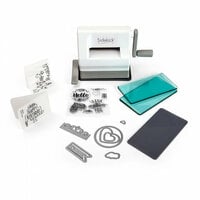
$74.00 $54.99
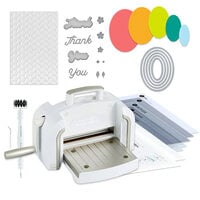
$199.00 $154.99
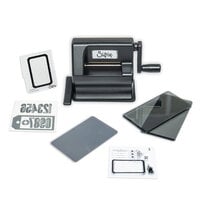
$80.00 $54.99
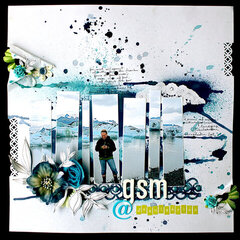
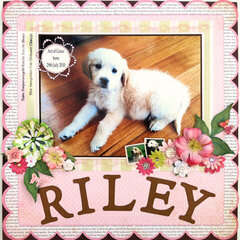

Great machine. I took it out of the package and within minutes was using. Very easy. I love the way you can see where the cut starts (bottom of the machine is clear) so you can position on your paper and not waste paper. As long as you use the adhesive correctly it does not mess up. I confess I tried to cut without reapplying and it messed up. Totally my fault. So far, I am enjoying very much. Look forward to new cartridges. I bought all they have right now and got each one on sale plus free shipping. Not bad for brand new items. I was interested in the Cricut but the price of the cartridges were too much. I can get 2 of the Slice for the price of 1 Cricut. Love the alphabets. No more running out of letters!!! Plus can have the exact color I want. I have the machine, all cartridges that are available right now, a bonus cartridge coming from the company (rebate from scrapbook.com) in Feb for half the cost of the Cricut. Not bad!!!

I can't say enough about the Slice. It is the most economical die cut machine, and the easiest to use. I have one and got one for my mom. I am having so much fun with it.

I can't say enought about how much I love this die cutter. I own the Sizzix and the Cricut, which I also love, but if I were to only pick one, this would be it. This is for several reasons.
Cost - the price is cheaper as are the cartridges. For the price of two sizzix, I can get an entire cartridge. The Cricut offers the same value, but this is half the price of a cricut cartridge and you get at least one alphabet with each shape unit. The cartridges also have designs where you can make the embellishments they sell. All you need to add are brads clips and ribbon and you can have the complete set.
Size - the size of the unit and the design cards are small. I am storing my cards in a pocket in my scrap carry all tote and have room for the two more I need and more. The unit itself is about a third of the size of my sizzix and cricut.
Versatile - Making Memories designs are diverse, coordinated with their product line and when all is put together you have a scraptastic page. You also do not waste paper, for you decide where it is to cut. You have the additional option of using the negative space right on the background page. With other units you need to cut the paper to fit the die and then paste the negative spaced embelishment on the page.
The only downside I have expeirenced is that I need to replace the blades more frequently. This could be only because I need to learn how to adjust the pressure better. However for the same price as two cricut blades you will get many more with each purchase.
For the money, the size and the value you cannot beat this machine. Like I said, I just can't say enough.
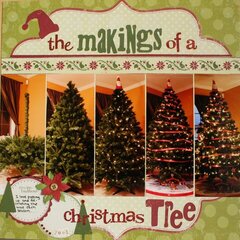
Used in this project: 73 B-Day

I received some early Christmas cash and bought a Slice two weeks ago. I was really tempted by the Cricut Expressions infomercials I'd been seeing on tv recently but was concerned about (1) the size of the machine, (2) the cost of the Expression package, and (3) the cost of buying cutting mats and cartridges over time. When I found out that I could get the Slice for less than half the cost of the Expression I got one.
I love it--Merry Christmas to me! It's easy to use and even my husband is using it for one of his hobbies. The machine will cut the Monocote plastic that he uses to cover radio control airplanes. He's using the Slice to cut his license number and he's attaching the number to all of his planes.
One tip about the adhesive, I've found that if I rotate the glass plate after each cut I can extend the life of my adhesive by at least a couple of cuts. That way I'm not cutting over the same location on the plate each time.
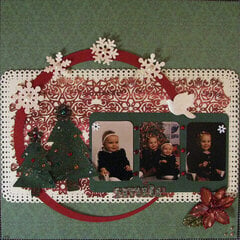
Used in this project: Happy Valentine's Day

I got my slice in March and was so excited about it and impressed with it that I wanted to write a review right away. However, I held off, deciding it was only fair to review it after I had used it enough to have more of an opinion than just “This little thing rocks!”
Firstly, I want to say that I haven’t had any problems with mine at all. I’ve never had to adjust the pressure on the blade (although I’ve looked into it and it looks easy enough), never had it go wonky on me other than a few times when I tried to use it when the battery was almost dead. I’ve been really pleased with the variety of items on each card (I have 3), and with the overall quality of the cuts. I like how I can pull it out and be cutting within moments and I like how easy it is to bring to crops. I have replaced my blade once in the 3 months of using it and it was very simple to do.
Some of the limitations to the Slice are that it is a little noisy (although no noisier than my friend’s Cricut), it obviously has the 4-inch cutting size limitation, and you do have to hold it while it cuts. I personally also find the letters don’t have as sharp corners as I would want, and sometimes the Slice leaves a little corner still attached to the paper (although this is easily snipped off with scissors). Probably the biggest limitation of the Slice is that it cuts each letter one at a time, which can take a long time if you're cutting long titles.
I hear that the replacement glue is pricey, but I’ve never used the glue that comes with it. I use Kyron repositionable spray adhesive, which requires little to no drying time and seems easier and cheaper than the glue the Slice comes with. I also cover my mat with waxed paper when not in use, which preserves the adhesive for several uses. I never clean my mate before storing it because I like being able to grab it and use it without having to spray it first (although I obviously do clean it before reapplying the adhesive spray).
The strengths of this machine include its ease of use and convenience. Having used a Cricut a few times now, I have to say the Slice is beautifully simple to use. There are only a few buttons, and the menus are self-explanatory and easy to navigate. I like the cordless feature, although I often just leave it plugged in. I’ve already mentioned that it only takes a few seconds to take it out and start cutting. The only slightly difficult thing about using it, is figuring out how to get the most out of your paper. It is a little tricky to predict where the machine is going to cut. Although you can see where the blade is relative to the planned cut (a little x on the screen marks the blade’s position so you can foresee where on the paper the blade will go), it does take some experience with the machine and the different sizes of cuts to become able to predict whether you have enough space on your paper for a particular cut.
Due to space limitations I only have the small mat included with the slice, but I think the larger mat would make it even easier to get the most of your paper.
I bought the Slice because I didn’t want to spend hundreds of dollars on a Cricut and then hundreds more collecting a decent library of fonts. There has been a lot of debate about whether the Slice is actually less expensive than the smaller Cricut machine, and it seems like yes, you can get a Cricut on sale for almost as little as a Slice. However, from what I’ve seen of the cartridges, the slice cards have more bang for your buck. Having said that, I still think that if you’re someone who wants a Cricut, you probably shouldn’t get this instead. I know lots of people who have both and use both, so it doesn’t have to be a one or the other kind of decision. I got my Slice because I knew if I got a Cricut, I would want the big fancy one, and I just couldn’t afford that this year.
I wholeheartedly recommend this to anyone who wants a quick and easy way to get die cut letters and shapes in a variety of sizes up to 4 inches. I think the machine itself is good value for the price, and the design cards include a large variety of shapes and fonts to make them a great value for their price. However, this little guy does not do what the Cricut does, so if that’s what you’re looking for, then you should probably hold out for a Cricut.
Used in this project: Work table setup

I recently purchased this little machine. I love it. I like the affordability, that it takes up minimal space and the cartridges are reasonable. There is alittle bit of a learning curve, but still really easy to use. You have to pay attention to where it's going to cut. But, that is easily remedied. I love all of the designs that are offered on each of the memory cards. There is alot of variety. It cuts well. I have not had any problems with it.
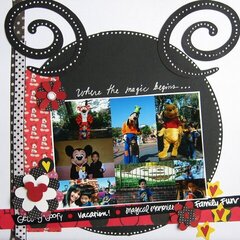
Used in this project: Love

I LOVE this machine!!! I was watching for it to become available and it felt like forever! It really was well worth the wait! I have a cricut as well but I much prefer this little guy! The cartridges are so much more reasonably priced too. I may actually get to have more than one cartridge for this one!!!

I am somewhat new to the great world of scrapbooking and so I am a little timid. Just got my Slice and I simply love it, so easy to use, and what a great choice in patterns. The started kid does come with everything to get started and you could just use that if you wanted or there are some other cards that you can use. I can see a big potential for easy downloads to your own SD cards from the slice web site in the future.
Love it!!!
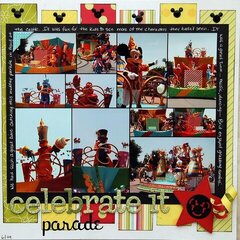
Used in this project: Trip to the Zoo

I was so excited to finally get the Slice. I ask for money for Christmas from everyone in order to afford it. I swear by my Cricut Expression, but always worried about loading it up to take back and forth to scrapping parties. The Slice is the perfect answer. I read a few of the reviews about adhesive problems, and I too experienced some. My Cricut machine was like that for awhile until I got the hang of the adjustments. Have fun with the Slice. It's a great machine!
Used in this project: The Best Friend
This machine is great. Love the fact that there are so many designs on each card. Only thing to watch out for is to make sure the blade is in tight enough. Otherwise, it won't cut the shape correctly. Also, there isn't much adhesive provided with the kit. You have to reapply every 3rd or 4th cut.
Great machine. Love it.
You must be signed in to comment. Please click here to sign in.
 I purchased the Slice on ebay as a never used item and it came with everything the starter kit included new. I charged the machine, put in an MS+ card and let it update. I cannot get the machine to cut at all, and it does not matter what card I'm using. I have tried the calibration but it will not even cut the calibration design. I changed the blade even though it has never made a cut. Does anyone have any suggestions?
By:
thorvath30
(01-Jan-18)
I purchased the Slice on ebay as a never used item and it came with everything the starter kit included new. I charged the machine, put in an MS+ card and let it update. I cannot get the machine to cut at all, and it does not matter what card I'm using. I have tried the calibration but it will not even cut the calibration design. I changed the blade even though it has never made a cut. Does anyone have any suggestions?
By:
thorvath30
(01-Jan-18)
 Did you ever get solution? I am having exact same problem & I bought new from retail store.
I would ask the question in the Forum, under general. I had this happen. I was in a time crunch for a design team project so I bought another one. I feel assured someone on the boards can help you. Good Luck. It really is a convenient machine and normally works very well.
By: Debby Lewis
(04-Jan-18)
Did you ever get solution? I am having exact same problem & I bought new from retail store.
I would ask the question in the Forum, under general. I had this happen. I was in a time crunch for a design team project so I bought another one. I feel assured someone on the boards can help you. Good Luck. It really is a convenient machine and normally works very well.
By: Debby Lewis
(04-Jan-18)